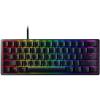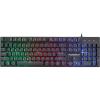

If you've ever been in the middle of an intense gaming match and noticed your character didn't sprint, crouch, or dodge when you pressed the key, there's a good chance your keyboard was the problem. Not the keys themselves, but a limitation in how many of them it can handle at once. That limitation, and the solution to it, comes down to something called N-key rollover.
The Problem: Keyboards That Can't Keep Up
Every time you press a key, your keyboard sends a signal to your computer telling it which key was pressed. Simple enough when you're typing a letter or two. But when you're gaming, you might be holding down W to move forward, Shift to sprint, Ctrl to crouch, and then tapping Space to jump, all within a fraction of a second. That's four or more keys being pressed almost simultaneously.
Older keyboards, and plenty of budget ones still sold today, can only detect a limited number of simultaneous key presses. This is called key rollover, and the number in front of it tells you how many keys the keyboard can register at once. A keyboard with 6-key rollover (6KRO) can handle six keys at a time. Go past that, and it starts dropping inputs, meaning some of your key presses simply get ignored.
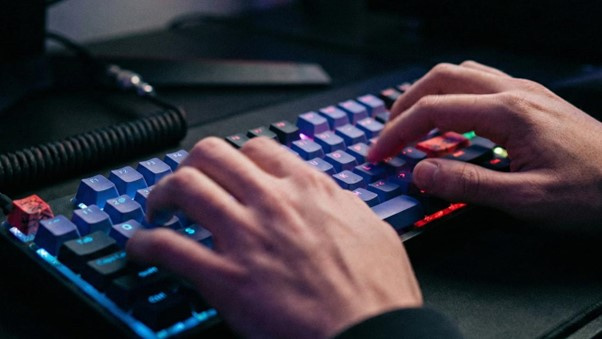
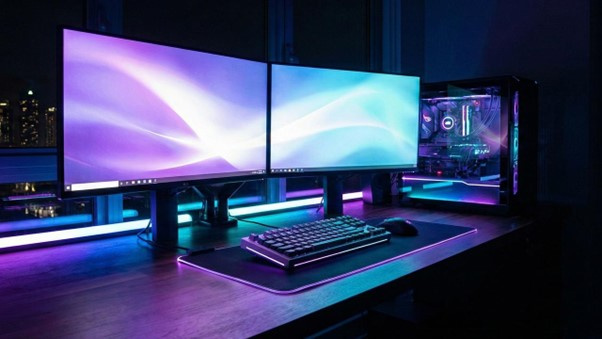
So What Does the "N" Mean?
N-key rollover, or NKRO, means there's no limit. Every single key on the keyboard can be pressed at the same time, and every single one will be registered. The "N" just stands for any number, essentially meaning the rollover is unlimited.
It's a feature you'll find advertised on gaming keyboards, and for good reason. When the action gets frantic and your fingers are flying across the board, NKRO ensures nothing gets lost in translation between your hands and the screen.
How It Actually Helps in Fast-Paced Games
In competitive or fast-paced games, the difference between winning and losing often comes down to milliseconds and precision. Here are a few real-world scenarios where NKRO earns its keep:
First-person shooters: You might be holding W and Shift to sprint, pressing C to slide, while also clicking your mouse to shoot and tapping R to reload. Without NKRO, one of those inputs might not register, leaving you standing still when you should be diving behind cover.
MOBAs and action RPGs: These games often require you to hold movement keys while spamming ability hotkeys. With limited rollover, abilities might fail to fire at critical moments.
Fighting game mechanics: Some titles map complex moves to rapid key combinations. Dropping even one input in a sequence can mean the difference between landing a combo or eating one.
Real-time strategy games: Speed typists in RTS games use rapid keyboard shortcuts to queue up buildings, units, and commands. NKRO keeps every shortcut registering even when your hands are moving fast.
It's Not Just for Gamers, Typing matters too!
While NKRO is marketed heavily toward the gaming crowd, there's actually a smaller group of people who benefit just as much: fast typists.
Professional typists, transcriptionists, programmers, and anyone who types well above 100 words per minute can occasionally run into rollover issues. At very high speeds, your fingers sometimes press the next key before you've fully released the previous one, especially if you're using a heavy overlap style of typing. On a keyboard with limited rollover, this can cause missed or jumbled characters.
For most everyday typists, 6KRO is more than sufficient. But if you regularly clock speeds above 120 to 130 WPM and notice occasional missing letters, a keyboard with NKRO might clean things up more than you'd expect. It's a niche benefit, but a real one.
What About Anti-Ghosting?
You'll often see NKRO mentioned alongside another term: anti-ghosting. These two things are related but not quite the same.
Ghosting is when a keyboard registers a key press that never happened, creating a "ghost" input. Anti-ghosting is the technology designed to prevent that. NKRO goes a step further by ensuring every real key press is always captured, no matter how many are happening at once.
Many keyboards advertise anti-ghosting without full NKRO. That means they've reduced phantom inputs but may still cap out at a certain number of simultaneous key presses. True NKRO covers both problems at once.

Do You Actually Need It?
For casual gaming and everyday typing, probably not. Most modern keyboards handle 6KRO comfortably, and the average person will never come close to pressing six keys simultaneously in normal use.
But if you play competitive games where split-second inputs matter, if you're building or upgrading a dedicated gaming setup, or if you type at seriously high speeds professionally, NKRO is a feature worth paying attention to. It's one of those things you don't notice when it's working, but you absolutely feel when it isn't.
What to Look For When Buying
When shopping for a keyboard, check the spec sheet for any of the following:
- NKRO or N-key rollover listed as a feature
- Full anti-ghosting (often bundled with NKRO on gaming boards)
- Note that some keyboards only enable NKRO when connected via a specific USB mode, so it's worth checking whether it's always-on or requires a setting to activate
Most dedicated gaming keyboards from reputable brands include NKRO as standard these days. If it's not listed anywhere in the specs, assume the keyboard has standard rollover limitations.