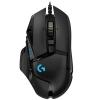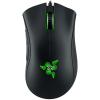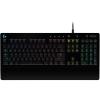

You've probably seen "low latency" plastered across gaming headsets, mice, and keyboards. It sounds important—something you definitely want—but what does it actually mean, and more importantly, will you notice the difference? Let's break down latency in terms that matter for your gaming experience.
What Latency Actually Is
Latency is the delay between when something happens and when you perceive it. In wireless gaming gear, it's the time gap between:
- Your mouse movement and the cursor responding on screen
- Pressing a key and your character jumping
- An explosion happening in-game and you hearing it through your headset
This delay is measured in milliseconds (ms). To put that in perspective, a blink of your eye takes about 100-150ms. Gaming latency is usually measured in single digits to low double digits—we're talking incredibly small timeframes.
But here's the thing: even tiny delays become noticeable in fast-paced gaming.
Why Wireless Creates Latency
Wired connections are essentially instant—the signal travels through a physical cable at nearly the speed of light. Wireless connections have to:
- Convert your input into a radio signal
- Transmit that signal through the air
- Have the receiver decode it
- Send it to your computer
Each step adds a tiny delay. Early wireless gaming gear had latency in the 20-40ms range, which felt sluggish compared to wired alternatives. Modern wireless technology has dramatically reduced this, but not all wireless is created equal.
The Numbers That Matter
Here's how latency typically breaks down for gaming peripherals:
1ms or less: Essentially imperceptible. High-end wireless gaming mice achieve this using proprietary 2.4GHz connections. At this level, wireless performs identically to wired for gaming purposes.
1-10ms: Excellent for gaming. You won't notice any delay, even in competitive first-person shooters or rhythm games. Most quality gaming-branded wireless devices aim for this range.
10-20ms: Noticeable if you're paying attention or playing twitch-based games. Acceptable for casual gaming but might frustrate competitive players.
20-40ms: The "standard Bluetooth" range. Fine for productivity and casual gaming, but you'll feel the lag in fast-paced titles. This is where shooting feels slightly off, or your rhythm game timing seems inconsistent.
40ms+: Frustrating for any real-time gaming. This is budget Bluetooth territory, or devices never designed with gaming in mind.
How This Translates to Different Gear
Wireless Gaming Mice
This is where latency matters most. Your mouse position needs to update hundreds of times per second for smooth, accurate aiming. High-end wireless gaming mice from brands like Logitech, Razer, and SteelSeries achieve 1ms latency using proprietary wireless protocols—genuinely matching wired performance.
Standard Bluetooth mice typically run at 7.5-15ms latency minimum, which is why you'll see dedicated USB dongles with gaming mice. That dongle isn't just for show—it's using a custom protocol optimized for speed over range and power efficiency.
If you play competitive shooters, MOBAs, or any game requiring precise cursor control, sub-5ms latency is worth prioritizing.
Wireless Gaming Keyboards
Keyboards are slightly more forgiving than mice. A 5-10ms delay on keystrokes is harder to perceive because you're not continuously tracking movement. Most quality wireless gaming keyboards sit in the 1-5ms range.
However, latency does matter for:
- Fast-paced games where timing is critical (fighting games, rhythm games)
- Rapid key combinations in competitive titles
- Double-tapping or quick directional changes
For typing and general gaming, anything under 10ms is perfectly fine. For competitive play, aim for 5ms or lower.
Wireless Gaming Headsets
Audio latency is different from input latency but equally important. If your headset has 40ms of latency, you'll hear footsteps or gunshots noticeably after they happen on screen. This creates a disconnect between what you see and hear, which is disorienting and puts you at a competitive disadvantage.
Under 20ms: Imperceptible sync between audio and video. Premium gaming headsets aim for this.
20-40ms: Slight but noticeable delay. Footsteps arrive after you see the enemy, dialogue feels slightly off in cutscenes.
40-100ms: Standard Bluetooth range. Clearly out of sync, especially noticeable in shooters and rhythm games.
100ms+: Unacceptable for gaming. Audio is obviously delayed—think of those poorly dubbed movies where lips don't match speech.
Bluetooth vs. 2.4GHz Wireless: The Key Difference
This is the most important distinction in wireless gaming gear:
Standard Bluetooth prioritizes power efficiency and universal compatibility. It's designed to work with every device, maintain stable connections while you walk around, and sip battery power. The tradeoff? Latency typically ranges from 20-40ms for basic Bluetooth, and 10-20ms even for newer Bluetooth 5.0+.
Bluetooth LE Audio and LC3 codec (the newest standard) can achieve lower latency, sometimes down to 5-10ms, but adoption is still limited and depends on both the device and your computer supporting it.
Proprietary 2.4GHz wireless sacrifices universal compatibility and sometimes battery life for raw speed. Gaming brands create their own protocols optimized exclusively for low latency. You need the included USB dongle, but you get 1-5ms latency—effectively eliminating wireless lag.
This is why serious gaming gear includes a dongle rather than relying on Bluetooth alone. Some modern devices offer both options: Bluetooth for mobile use and battery conservation, 2.4GHz for gaming.
Marketing Claims vs. Reality
Here's where things get murky. Not all "low latency" claims are equal:
"Gaming-grade wireless" without specific numbers often just means "better than standard Bluetooth," which might still be 15-20ms.
"Near-zero latency" is marketing speak. Nothing is truly zero, but sub-2ms is close enough that the claim is fair.
"1ms response time" sometimes refers to polling rate (how often the device checks for input) rather than actual latency. A 1000Hz polling rate equals 1ms between checks, but total latency includes transmission time too.
Always look for actual latency specifications in milliseconds. If a manufacturer doesn't list them, that's often a red flag.
Does Latency Actually Matter for Your Gaming?
Here's the honest truth: it depends entirely on what you play and how seriously you take it.
Latency is critical for:
- Competitive first-person shooters (CS:GO, Valorant, Apex Legends)
- Fighting games where frame-perfect inputs matter
- Rhythm games (Beat Saber, Guitar Hero)
- Fast-paced multiplayer games where reaction time is crucial
- Professional or high-level competitive play in any genre
Latency is less important for:
- Turn-based strategy games
- Story-driven single-player adventures
- Casual gaming sessions
- MMORPGs (though PvP arenas might be an exception)
- Games where you're primarily exploring or solving puzzles
If you're a casual gamer who plays a mix of titles and values the freedom of wireless, modern gaming gear with 5-10ms latency will feel perfectly responsive. You likely won't notice any difference from wired.
If you're grinding ranked matches or competing in tournaments, that extra 5ms might matter psychologically even if it's not truly limiting your performance—and the absolute lowest latency gear makes sense.
Polling Rate: Latency's Close Cousin
Polling rate is how many times per second your device reports its status to your computer, measured in Hertz (Hz):
- 125Hz: Every 8ms (older wireless devices)
- 500Hz: Every 2ms (common in mid-range gear)
- 1000Hz: Every 1ms (standard for wired and high-end wireless)
- 2000Hz+: Every 0.5ms or less (cutting-edge wireless mice)
Higher polling rates reduce the maximum possible delay between your action and the computer registering it. Combined with low transmission latency, you get the most responsive experience possible.
For gaming mice especially, 1000Hz polling has become the standard. Anything lower will feel less precise.
Battery Life: The Latency Tradeoff
Here's the uncomfortable truth: the fastest wireless protocols consume more power than Bluetooth. Gaming mice with 1ms latency might last 40-60 hours on a charge, while a Bluetooth office mouse can run for months on a single battery.
This is why many gaming peripherals offer multiple wireless modes:
- High-performance mode (1-2ms latency, shorter battery life)
- Efficiency mode (5-10ms latency, extended battery)
- Bluetooth mode (15-30ms latency, maximum compatibility and battery life)
You choose based on your immediate needs. Gaming session? High-performance. Taking notes in class? Bluetooth is fine.
What to Look For When Shopping
When evaluating wireless gaming gear for latency:
For mice:
- Look for 1-2ms latency specifically mentioned
- Proprietary 2.4GHz dongle (not just Bluetooth)
- 1000Hz or higher polling rate
- Brand reputation matters—Logitech Lightspeed, Razer HyperSpeed, and similar technologies have proven track records
For keyboards:
- Sub-5ms latency for competitive gaming
- 1000Hz polling rate
- Wired option as backup (many wireless gaming keyboards include a USB-C cable)
For headsets:
- Under 20ms audio latency for gaming use
- USB dongle for gaming, Bluetooth as secondary option
- Check reviews for actual performance—specs don't tell the whole story with audio sync
For all devices:
- Read reviews from gaming-focused sources
- Check if latency specs are for the 2.4GHz mode or Bluetooth
- Consider whether the tradeoff in battery life works for your routine
The Bottom Line
Low latency in wireless gaming gear means the delay between your actions and their effects is minimized to the point of being imperceptible. Modern technology has made truly competitive wireless gaming possible—the best wireless mice, keyboards, and headsets now perform identically to wired alternatives in terms of responsiveness.
The key is knowing what you're actually getting:
- Prioritize sub-5ms latency for competitive gaming
- Proprietary 2.4GHz protocols beat standard Bluetooth every time for gaming
- Your game genre and skill level determine how much latency actually impacts you
- Don't pay premium prices for "gaming" gear that doesn't specify actual latency numbers
The wireless freedom is real, and with the right gear, you genuinely don't sacrifice performance anymore. Just make sure you're buying truly low-latency equipment, not just marketing claims with a gaming logo slapped on standard Bluetooth hardware.