
If you have ever grabbed the wrong cable from a drawer full of them, you already understand why this question matters. USB-A, USB-C and Lightning are three different connector standards, and while they all transfer data or charge devices, they are not interchangeable. Understanding what each one does, and how well it does it, will save you from slow charging, frustrating transfers, and buying the wrong accessories.
USB-A
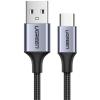
USB-A is the rectangular connector that most people picture when they think of a USB cable. It has been around since 1996 and is still one of the most common connector types in the world. You will find USB-A ports on computers, televisions, wall chargers, car chargers, and countless other devices.
The connector has evolved through several generations over the years, and the generation matters quite a bit when it comes to speed. USB 2.0, which is the version found on older devices and cheaper accessories, tops out at 480 megabits per second. USB 3.0 and 3.1, identifiable by the blue plastic inside the port on most devices, jump to 5 gigabits per second and 10 gigabits per second respectively. USB 3.2 pushes that further to 20 gigabits per second, though this is less common on USB-A ports.
On the charging side, standard USB-A ports deliver around 5 watts, which is enough for phones but slow by modern standards. USB-A ports with fast charge support can deliver up to 18 watts depending on the charger and the device.
The main practical limitation of USB-A is that it only goes in one way, which has been a minor frustration since day one. It is also reaching the end of its development as a standard, with USB-C taking over as the connector of choice for new devices. That said, USB-A is so deeply embedded in the technology ecosystem that it will remain common for many years yet.


USB-C
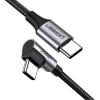
USB-C is the newer, oval-shaped connector that has rapidly become the dominant standard across modern devices. Unlike USB-A, it is fully reversible, meaning it plugs in either way without any fumbling. It is also dramatically more capable across charging, data transfer, and video output.
On the data side, USB-C supports the full range of USB speeds depending on the version. USB 3.2 over USB-C reaches 20 gigabits per second, USB4 Gen 2 doubles that to 40 gigabits per second, and Thunderbolt 4, which uses the same physical USB-C connector, also delivers 40 gigabits per second with additional capabilities for daisy-chaining devices and driving external displays. Thunderbolt 5, found on the latest high-end laptops, pushes bandwidth up to 120 gigabits per second for demanding tasks like connecting multiple 4K or 8K monitors.
For charging, USB-C with Power Delivery support can handle anything from a phone to a laptop. Standard USB-C Power Delivery starts at 18 watts and scales up to 100 watts on current devices, with the newer USB Power Delivery 3.1 specification extending that ceiling to 240 watts, which covers even high-performance laptops.
USB-C also supports video output natively. With the right cable and a compatible device, you can connect a laptop directly to a monitor, television, or projector without a separate adapter in many cases.
You will find USB-C on most modern Android phones, laptops, tablets, and accessories. It is the charging standard on newer iPads, MacBooks, and from the iPhone 15 onwards, iPhones as well. The European Union has mandated USB-C as the common charging standard for portable consumer electronics sold in Europe, which will further cement its position as the universal connector of this generation.
One important caveat is that not all USB-C cables perform the same way. A cable can have USB-C connectors on both ends and still only support basic 5 watt charging and USB 2.0 speeds. If you need fast charging or high-speed data transfer, check that the cable is rated for those capabilities. For Thunderbolt 4 or USB4, look for cables that are explicitly certified, as a standard USB-C cable will not deliver those speeds regardless of what is printed on the box.
Lightning
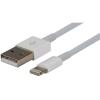
Lightning is Apple's proprietary connector, introduced in 2012 as a replacement for the older 30-pin dock connector used on earlier iPhones and iPads. It was notably slim and reversible at a time when USB-A was still the dominant standard, and it served Apple's devices well for over a decade.
In terms of raw performance, Lightning supports USB 2.0 speeds, which means data transfer tops out at 480 megabits per second. That is the same as the older USB 2.0 standard and significantly slower than what USB-C can achieve. For most everyday tasks like syncing photos or backing up a phone it is functional, but for transferring large files it is noticeably slower than modern alternatives.
On charging, Lightning supports up to 20 watts with a compatible USB-C to Lightning cable and power adapter, which delivers reasonably fast charging for iPhones but is behind what USB-C Power Delivery can offer on newer devices.
Apple began transitioning away from Lightning with USB-C on its iPad Pro and MacBook lines, and from the iPhone 15 onwards all iPhones moved to USB-C. Lightning remains in use on older iPhones, AirPods charging cases, and some Apple accessories, but it is gradually being retired. If you have an older iPhone or Apple device, your Lightning cables will continue to work perfectly well, but as the standard is phased out the range of new accessories supporting it will steadily narrow.


How the standards compare
To put it plainly, USB-C is the most capable of the three across every meaningful metric. It is faster, supports higher power delivery, handles video output, and is the direction the entire industry is moving. USB-A remains practical and relevant, particularly on chargers and computers where it serves as a universal port for older accessories. Lightning is functional but limited in speed, and is now being phased out even within Apple's own product lineup.
| USB-A | USB-C | Lightning | |
|---|---|---|---|
| Max data speed | 20Gbps (USB 3.2) | 120Gbps (Thunderbolt 5) | 480Mbps (USB 2.0) |
| Max charging | 18W (fast charge) | 240W (PD 3.1) | 20W |
| Reversible | No | Yes | Yes |
| Video output | No | Yes | No |
| Still in active development | No | Yes | No |
Which one do you need?
The answer depends entirely on your devices. Most modern laptops and Android phones use USB-C. Older iPhones use Lightning, while iPhone 15 and newer use USB-C. USB-A remains common on chargers, wall adapters, and computers as a catch-all port for accessories.
Most households end up with all three in regular use, which is perfectly normal. A multiport charger or a cable with different connectors on each end can help reduce clutter if you are managing a mix of devices. When buying new cables or chargers, always check which port your specific device uses and, for USB-C in particular, check what speeds and wattage the cable supports before you buy.