
If you've ever wondered how your favorite streamers broadcast high-quality gameplay from their PlayStation, Xbox, or Nintendo Switch to platforms like Twitch or YouTube, the answer often lies in a piece of hardware called a capture card. While the name might sound technical, the concept is actually quite straightforward once you break it down.
What Exactly is a Capture Card?
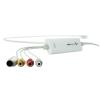
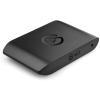
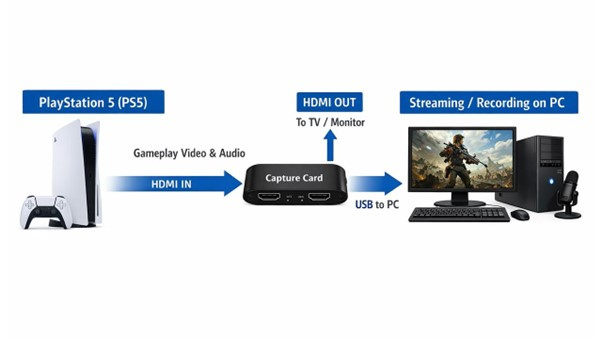
A capture card is a hardware device that records or streams video and audio from one device to another. Think of it as a bridge between your gaming console (or another video source) and your computer. It takes the HDMI signal from your console, captures that video and audio data, and transfers it to your PC where streaming software can broadcast it to the internet.
Without a capture card, your computer has no way to "see" what's happening on your console. The capture card essentially acts as the eyes and ears, converting that gameplay into a format your computer can work with.
Internal vs External Capture Cards
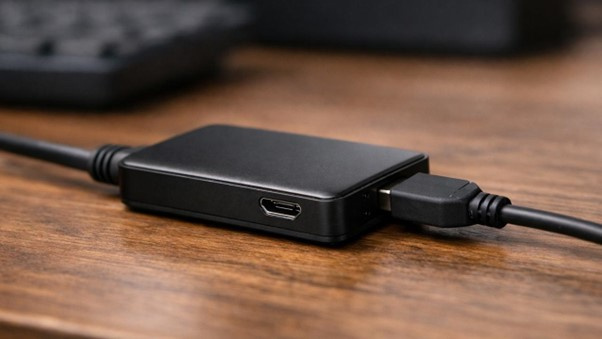
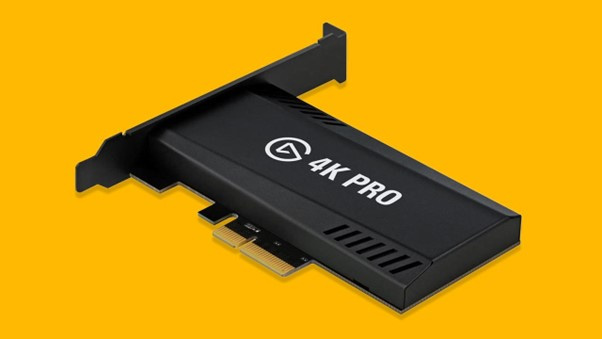
Capture cards come in two main varieties. Internal capture cards are installed directly inside your desktop PC, slotting into a PCIe slot on your motherboard, much like a graphics card. External capture cards connect to your computer via USB or Thunderbolt, making them portable and compatible with laptops.
Why Do Streamers Need Capture Cards?
Console Streaming
The primary reason streamers use capture cards is to broadcast console gameplay. While modern consoles like the PlayStation 5 and Xbox Series X have built-in streaming capabilities, they're limited compared to what you can achieve with a dedicated streaming PC and capture card setup. A capture card gives you access to professional streaming software like OBS Studio or Streamlabs, allowing for custom overlays, alerts, multiple camera angles, and far more control over your stream's appearance.
The Two-PC Setup
Many professional streamers use what's called a "two-PC setup," and capture cards are essential to making this work. One powerful PC runs the game, while a second PC handles all the encoding and broadcasting to streaming platforms. This separation prevents the performance issues that can occur when a single computer tries to both run demanding games and stream them simultaneously.
The gaming PC outputs its video through HDMI to the capture card, which is installed in or connected to the streaming PC. This setup ensures your gameplay runs at maximum performance while your stream maintains high quality without stuttering or dropped frames.
Recording and Content Creation
Capture cards aren't just for live streaming. Content creators use them to record high-quality gameplay footage for YouTube videos, tutorials, and montages. Recording through a capture card often produces better quality than using console recording features, with more flexibility in terms of resolution, frame rate, and file formats.
Key Features to Look For
When shopping for a capture card, there are several specifications that matter. Resolution and frame rate support are crucial, as most modern cards support 1080p at 60fps, with high-end models offering 4K capability. Passthrough is another important feature, which allows you to play your game on a monitor with zero delay while simultaneously capturing the footage. Without passthrough, you'd have to play while watching the preview in your streaming software, which introduces noticeable lag.
Encoding type also matters. Hardware encoding means the capture card does the heavy lifting of compressing the video, reducing the load on your PC. Software encoding relies on your computer's processor, which can be fine if you have a powerful CPU but may cause performance issues on older systems.
If you're just starting out, you don't need the most expensive capture card on the market. A mid-range card that supports 1080p at 60fps with passthrough will serve most streamers perfectly well. You can always upgrade later as your channel grows.
Do You Actually Need One?
Here's the honest truth: not everyone needs a capture card. If you only stream PC games on the same computer you're using for streaming, you likely don't need one. Modern streaming software can capture PC gameplay directly without additional hardware. Similarly, if you're a casual console streamer who's happy with the quality and features of your console's built-in streaming, a capture card might be unnecessary.
However, if you're serious about console streaming, want complete control over your broadcast's appearance, plan to use a two-PC setup for maximum performance, or need to record high-quality console gameplay for edited videos, then a capture card becomes an essential tool.
The Bottom Line
Capture cards might seem like just another expensive piece of equipment in an already costly hobby, but for console streamers and content creators, they're genuinely invaluable. They unlock professional-level streaming capabilities, solve performance problems, and provide the flexibility that serious streamers need to stand out in an increasingly crowded space.
Whether you're taking your first steps into streaming or looking to upgrade your setup, understanding what capture cards do and why they matter is essential knowledge. The good news is that you don't need to break the bank to get started, and once you experience the difference a capture card makes, you'll wonder how you ever streamed without one.