
If you've been shopping for a new gaming monitor lately, you've probably noticed "HDR" plastered across product listings and marketing materials. But what exactly is HDR, and more importantly, will it actually make your games look better? Let's break it down.
Understanding HDR: The Basics
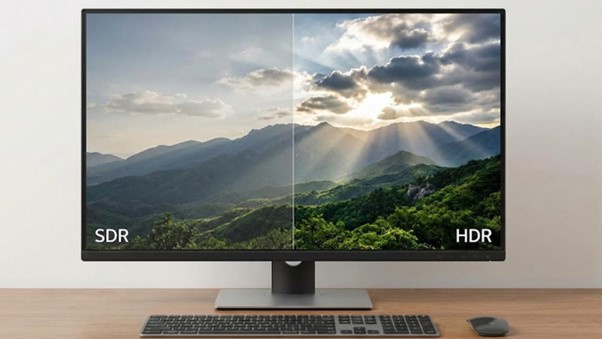
HDR stands for High Dynamic Range. In simple terms, it's a technology that allows your monitor to display a wider range of brightness levels and colors than traditional displays.
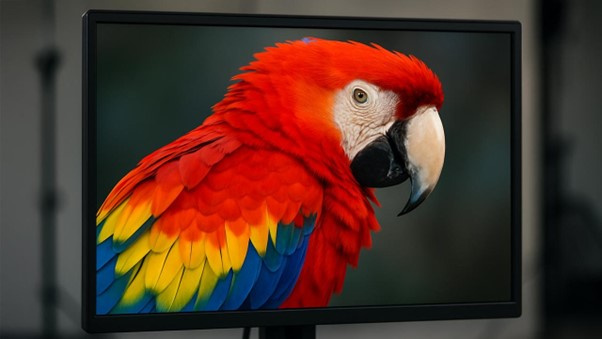
Think of it this way: standard displays (often called SDR, or Standard Dynamic Range) are like looking through a small window at the world. HDR opens that window much wider, letting you see deeper blacks, brighter highlights, and more vibrant colours all at the same time.
The key difference comes down to three main factors:
Brightness range - HDR monitors can get much brighter in specific areas of the screen, typically reaching 400 nits or higher (and up to 1000+ nits in premium models), compared to around 250-350 nits for most SDR displays.
Contrast - The difference between the darkest blacks and brightest whites becomes more dramatic, creating images with greater depth and realism.
Colour volume - HDR displays can show more colours at different brightness levels, meaning you get rich, saturated colours even in very bright or very dark scenes.

How HDR Works in Gaming
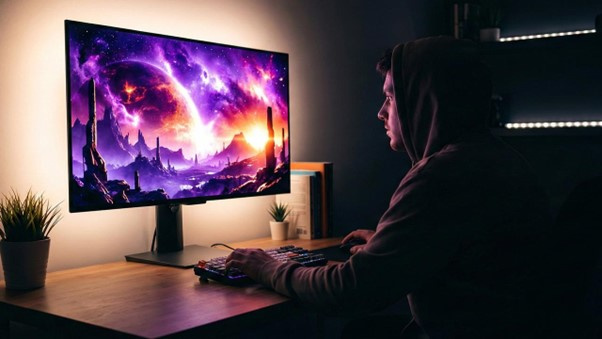
When you play an HDR-enabled game on an HDR monitor, the game sends special information about how bright or colourful specific elements should be. The sun might peak at 1000 nits of brightness while shadows maintain deep blacks at the same time. Explosions can bloom with intense light, torches can glow realistically in dark dungeons, and sunsets can display gradients that simply aren't possible on SDR displays.
For this magic to happen, you need three things working together: an HDR-capable monitor, an HDR-enabled game, and a graphics card that supports HDR output (most modern GPUs do).
The Different HDR Standards
Here's where things get a bit complicated. Not all HDR is created equal, and there are several certification standards you'll encounter:
HDR10 - This is the baseline HDR standard and the most common. It's free and open, which is why most HDR content uses it.
DisplayHDR 400/600/1000 - These VESA certifications indicate different performance levels. The number represents peak brightness in nits. DisplayHDR 400 is entry-level and often criticized for not offering a dramatic improvement over SDR. DisplayHDR 600 and above provide more noticeable benefits.
Dolby Vision - A premium HDR format with dynamic metadata, though it's rare in PC monitors and more common in TVs.
HDR10+ - Similar to Dolby Vision with dynamic metadata, but less common in the monitor space.
Does HDR Actually Improve Gaming Visuals?
The short answer: it depends on the implementation.
When HDR looks amazing: A high-quality HDR monitor (DisplayHDR 600 or better) displaying a well-implemented HDR game can be genuinely stunning. Games like Cyberpunk 2077, Red Dead Redemption 2, Doom Eternal, and Microsoft Flight Simulator showcase spectacular improvements with proper HDR. You'll notice more realistic lighting, better atmosphere in dark scenes, and highlights that pop without washing out the rest of the image.
When HDR disappoints: Entry-level HDR (DisplayHDR 400) often provides minimal improvement and sometimes even looks worse than good SDR. Some games also have poorly implemented HDR that appears washed out or overly bright. Additionally, Windows HDR support has historically been problematic, though it has improved significantly in Windows 11.
What to Look for in an HDR Gaming Monitor
If you're considering an HDR monitor for gaming, here's what matters:
Peak brightness - Look for at least 600 nits for noticeable HDR benefits. 1000 nits or higher is ideal.
Local dimming - This feature dims specific zones of the backlight independently. Full Array Local Dimming (FALD) with many zones (100+) provides better contrast. Edge-lit local dimming is less effective.
Panel type - OLED panels offer perfect blacks and excellent HDR performance. Mini-LED panels with many dimming zones also perform well. Standard IPS and VA panels need strong local dimming to compete.
Colour gamut - Look for DCI-P3 coverage of 90% or higher for the best colour performance.
DisplayHDR certification - Aim for DisplayHDR 600 minimum, preferably DisplayHDR 1000 or better.
The Bottom Line
HDR can absolutely improve gaming visuals, but only when implemented well on both the hardware and software sides. A cheap monitor with HDR400 certification probably isn't worth buying specifically for HDR. However, a quality HDR600+ display running properly optimised games will deliver a noticeably more immersive and visually impressive experience.
Before investing in HDR, consider whether the games you play support it well, whether your GPU can handle the additional processing overhead, and whether you're willing to pay the premium for a monitor with meaningful HDR capabilities. If you primarily play competitive esports titles, the high refresh rate and low response time might matter more than HDR. But if you love immersive single-player experiences with rich graphics, good HDR can transform your gaming.
The technology is still maturing in the PC space, but as prices come down and implementations improve, HDR gaming is becoming increasingly worthwhile for enthusiasts who want the best possible visual experience.